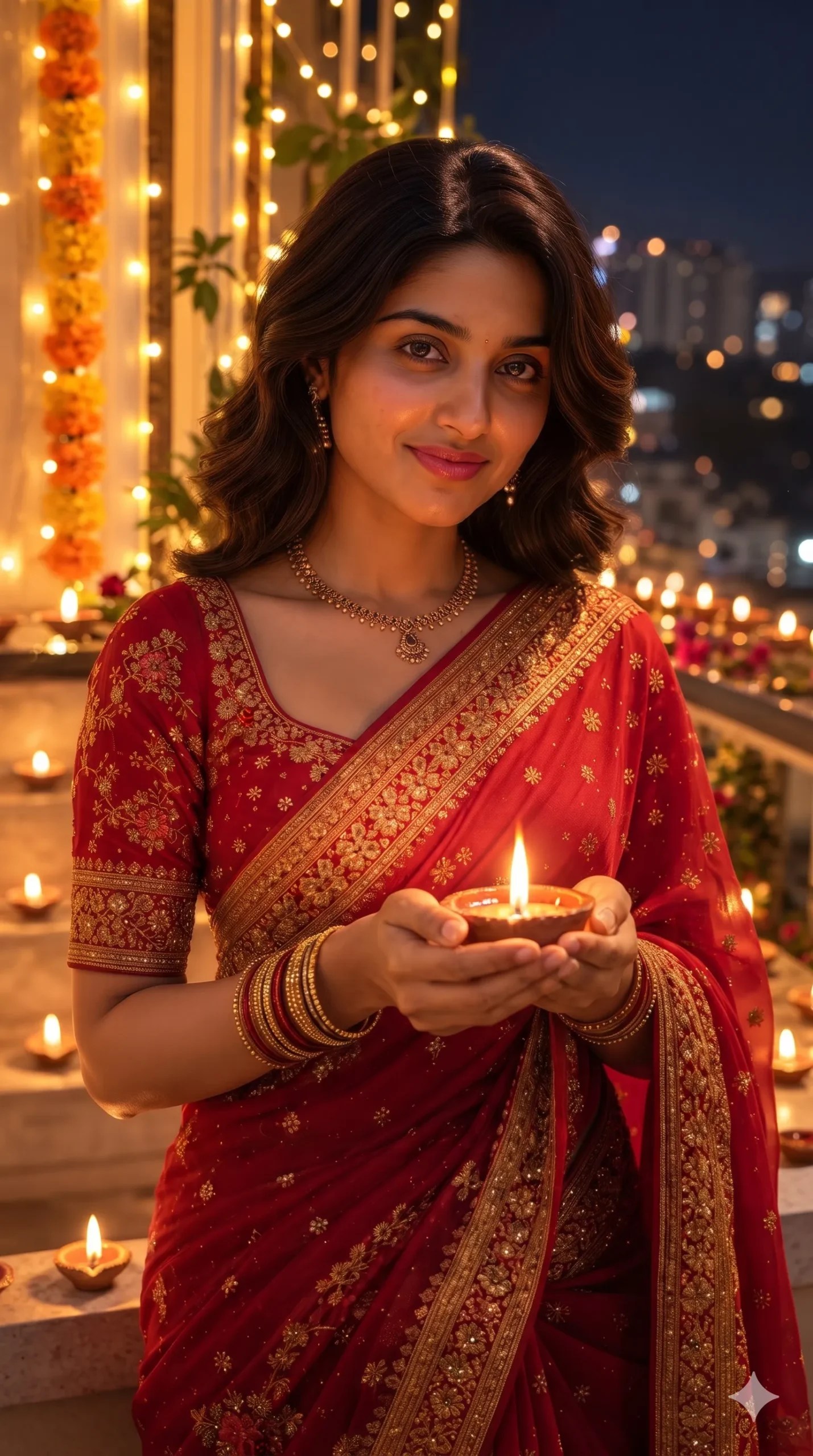
Create an exceptionally beautiful, ultra-photorealistic 8K-quality festive portrait of the SAME WOMAN from the uploaded reference photograph. ### 1. FACE IDENTITY & REALISM Use the uploaded reference image as the primary facial identity reference. Preserve her original facial identity as closely as possible, including her exact facial structure, face shape, eyes, eyebrows, nose, lips, smile, skin tone, and natural facial proportions. Maintain realistic skin texture, visible natural skin details, lifelike expressions, and authentic facial characteristics. Do not beautify, reshape, age, or artificially modify her face. The final image must look like a real professional photograph of the same person. ### 2. TRADITIONAL OUTFIT & JEWELRY She is elegantly dressed in a luxurious traditional Indian red saree featuring intricate golden zari borders, delicate embroidery, and a beautifully draped pallu over her shoulder. Pair the saree with a matching traditional blouse featuring elegant detailing. Add sophisticated gold earrings, a delicate necklace, traditional bangles, and subtle festive accessories. Her jewelry should reflect the surrounding golden light naturally without looking overly shiny or artificial. ### 3. HAIRSTYLE & MAKEUP Her long, beautiful dark hair is neatly styled in soft, natural waves, with a few delicate strands framing her face. Makeup is elegant and festive, featuring softly defined eyes, natural glowing skin, subtle blush, and classic red lipstick. Keep her facial appearance authentic and realistic. ### 4. POSE & DIYA DETAILS She is standing gracefully on a beautifully decorated balcony at night, gently holding a traditional handcrafted brass diya with both hands at chest level. The diya contains a small, clearly visible burning cotton wick with a realistic golden-orange flame. She looks directly toward the camera with a gentle, warm smile and a peaceful festive expression. Her fingers are naturally positioned around the diya, with anatomically correct hands and realistic skin details. ### 5. BACKGROUND & DIWALI ATMOSPHERE The setting is an elegant Indian balcony decorated for Diwali celebrations. Warm golden fairy lights are beautifully arranged along the balcony railing, creating a dreamy background of soft glowing bokeh. Add subtle traditional decorations, a few illuminated diyas, delicate marigold flower garlands, and a distant nighttime city skyline with scattered glowing lights. The background should feel festive, luxurious, peaceful, and naturally realistic without distracting from the woman. ### 6. CINEMATIC LIGHTING & PHOTOGRAPHY The warm yellow and orange flame of the diya softly illuminates her face, hands, and saree. Create realistic golden highlights on her cheeks, eyes, jewelry, and golden saree border. Add gentle ambient lighting from the fairy lights behind her. Use a beautiful combination of warm foreground illumination and slightly darker nighttime background for cinematic depth. Professional full-frame DSLR portrait photography, 85mm portrait lens, shallow depth of field, natural skin texture, realistic shadows, balanced exposure, soft cinematic color grading, and beautiful golden bokeh. ### 7. FINAL IMAGE QUALITY Ultra-photorealistic, lifelike human appearance, extremely detailed traditional Indian fabric, realistic golden embroidery, authentic jewelry reflections, natural hand anatomy, physically accurate diya flame, cinematic festive photography, premium editorial portrait quality, HDR, crisp facial focus, 8K-quality details. **COMPOSITION:** Vertical 9:16 portrait. Frame the woman from approximately waist-up, keeping her face, both hands, and glowing diya clearly visible. Maintain a visually balanced composition with beautiful fairy-light bokeh in the background. ### NEGATIVE PROMPT Different face, altered identity, face swapping artifacts, artificial facial features, plastic skin, excessive beauty filters, distorted eyes, asymmetrical face, extra fingers, missing fingers, deformed hands, duplicated diya, floating objects, unrealistic flame, incorrect saree draping, excessive jewelry, harsh lighting, overexposure, blurry face, cartoon appearance, CGI look, low resolution, watermark, text, logo.
How to Use This AI Photo Prompt
- ChatGPT and start a new chat.
- Upload the photo you want to edit or transform.
- Copy and paste the prompt into the chat, then click Send.
- Wait for ChatGPT to generate your AI photo.
- If the result isn’t exactlyClick the Copy Prompt button above to copy the complete prompt.