GTA 6 AI Photo Prompts: The massive excitement surrounding Grand Theft Auto 6 (GTA 6) has sparked a new social media trend where people turn their ordinary photos into eye-catching visuals inspired by the game’s iconic promotional style. These creative edits feature vibrant Miami-inspired streets, tropical palm trees, stunning sunset backgrounds, stylish outfits, luxury sports cars, and cinematic video-game aesthetics.
You don’t need professional photo-editing skills or expensive software to create these amazing images. With ChatGPT and Google Gemini, you can simply upload your photo, enter a well-written AI prompt, and generate your own GTA 6-inspired artwork in just a few steps. These AI-generated pictures are perfect for Instagram posts, WhatsApp status updates, Facebook uploads, and other social media platforms.
Viral GTA 6 AI Image Generating Prompts for Boys
What is the GTA 6 AI photo trend?
The GTA 6 photo-editing trend uses AI-powered image generators to transform everyday pictures into eye-catching artwork inspired by the game’s distinctive promotional visuals.
Some of the most popular design features include:
- Vibrant Colours: Eye-catching neon shades, colourful backgrounds, and beautiful golden-hour lighting.
- Tropical Locations: Palm-lined roads, sandy beaches, coastal views, and Miami-inspired cityscapes.
- Cinematic Backgrounds: Dramatic lighting, stylish camera angles, and movie-poster-like compositions.
- Video Game Aesthetics: Realistic-looking people transformed into characters with a distinctive GTA-inspired poster appearance.
- Luxury Lifestyle: Premium sports cars, fashionable outfits, modern buildings, and stylish urban environments.
To create this effect, simply upload your photograph to an AI image generator and provide a detailed editing prompt. You can ask the AI to preserve your original facial features and identity while modifying the background, outfit, lighting, surroundings, and artistic appearance to achieve a personalised GTA 6-inspired look.
How to make GTA 6-style photos with ChatGPT
ChatGPT makes it easy to turn your regular photographs into creative visuals inspired by the GTA 6 video game aesthetic. You just need a clear photo and a suitable AI prompt to get started.
Follow these simple steps:
- Open ChatGPT: Visit ChatGPT on your mobile phone or desktop computer.
- Upload Your Photo: Click the attachment or image-upload icon and select a clear picture from your device.
- Choose an AI Prompt: Copy one of the GTA 6-inspired prompts shared below and paste it into the chat.
- Generate Your Image: Submit the prompt and let ChatGPT create a customised video-game-style portrait.
- Make Additional Changes: If the result isn’t exactly what you want, ask ChatGPT to adjust the background, outfit, lighting, colours, or composition.
- Save and Share: Download your finished image and post it on WhatsApp Status, Instagram, Facebook, or your favourite social media platform.
Chat Gpt GTA 6 AI Photo Prompts-inspired images
Prompt 1: GTA 6-Inspired Character Poster
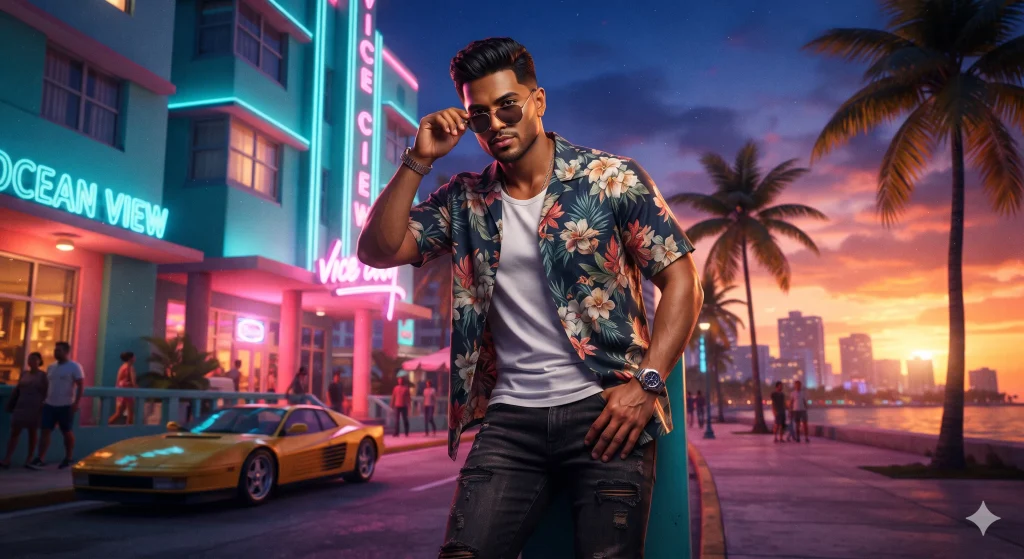
"Transform my uploaded photo into a stunning character poster inspired by the vibrant visual aesthetic of Grand Theft Auto 6. Maintain my original facial identity, face shape, hairstyle, skin tone, and distinctive facial characteristics as accurately as possible. Position me confidently in a stylish Vice City-inspired urban environment featuring tropical palm trees, colourful Art Deco buildings, premium sports cars, glowing neon lights, and a breathtaking sunset. Give the composition a bold, cinematic appearance with rich colours, dramatic shadows, intricate textures, and polished video-game promotional artwork aesthetics. Make the final image visually striking, professionally composed, and highly detailed. No additional text, watermarks, or logos."
Prompt 2: Realistic GTA 6-Inspired Gameplay Scene
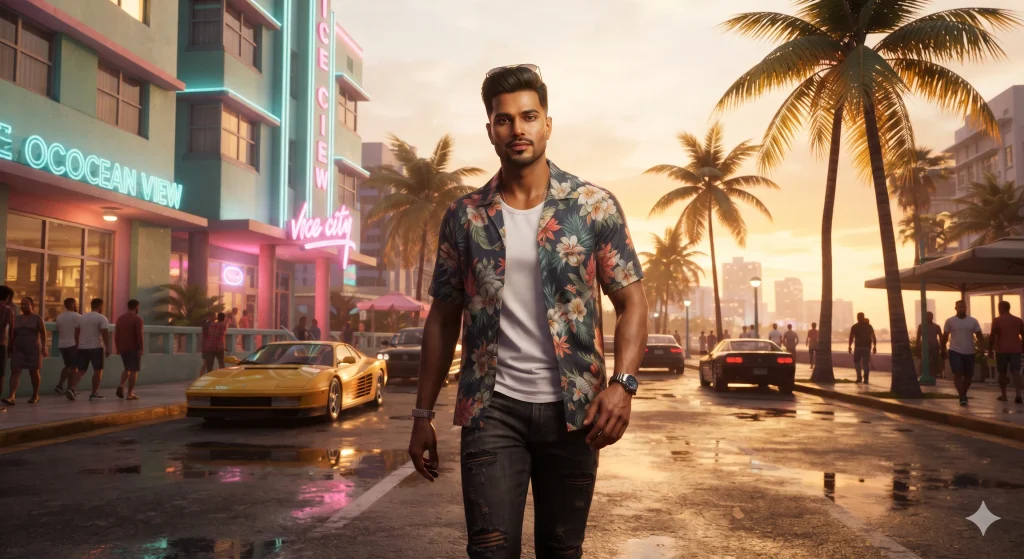
"Using my uploaded photograph as the primary identity reference, recreate me as a realistic character in a visually immersive open-world action-adventure game inspired by GTA 6. Preserve my recognizable facial structure, natural skin tone, hairstyle, and original appearance. Show me casually walking along a lively Miami-inspired city street surrounded by tall palm trees, luxury sports cars, colourful buildings, street traffic, and pedestrians. Incorporate advanced game-engine visuals, realistic environmental details, cinematic camera positioning, natural character proportions, and warm evening illumination. The finished result should look like a high-quality screenshot captured directly from a modern open-world video game rather than an ordinary edited photograph. Avoid unnecessary text, logos, and watermarks."
Prompt 3: Cinematic GTA 6 Sunset Beach Portrait
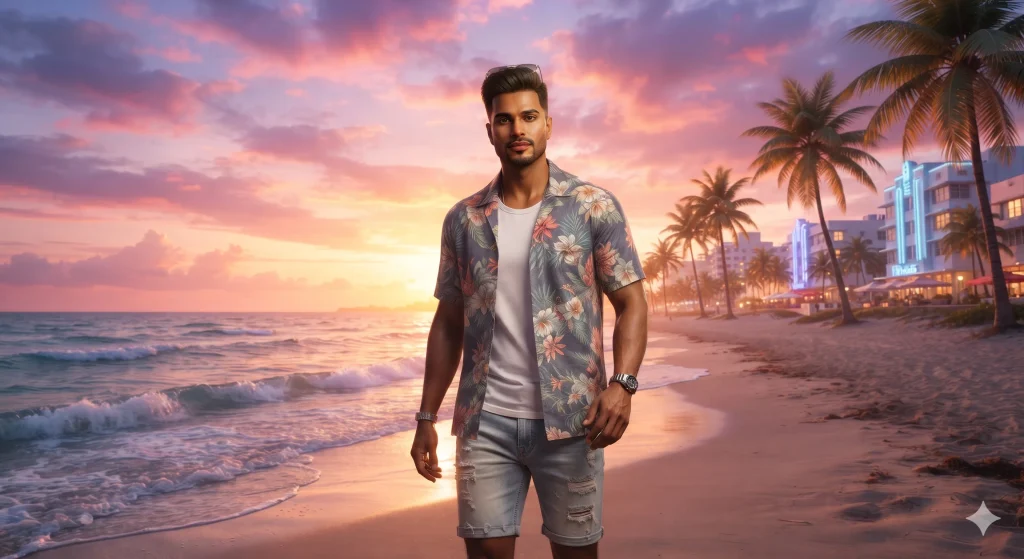
"Reimagine my uploaded photograph as a breathtaking cinematic beach portrait inspired by the tropical atmosphere and artistic presentation of GTA 6. Preserve my real facial identity, face proportions, hairstyle, skin tone, and natural expressions without introducing unwanted changes. Place me on a beautiful coastal beach inspired by Vice City, with gently moving ocean waves, tropical palm trees, luxury beachfront properties, and a spectacular sunset across the horizon. Give me a fashionable summer outfit that complements the surroundings. Use a rich combination of pink, orange, purple, and golden tones, enhanced by atmospheric sunset illumination, realistic environmental textures, and sophisticated video-game promotional artwork styling. Create a visually captivating, premium-quality composition. Do not add text, logos, or watermarks."
How to use Google Gemini for GTA 6-style images
Google Gemini is another convenient AI tool for transforming ordinary photographs into eye-catching images inspired by the GTA 6 visual style. By uploading your picture and providing a descriptive prompt, you can create customised video-game-inspired portraits without using complicated photo-editing software.
Follow these steps to get started:
- Open Google Gemini: Visit the Gemini website or launch the Gemini app on your smartphone.
- Upload Your Photograph: Tap the image attachment or upload option and select a clear photo from your gallery or computer.
- Enter Your Prompt: Copy your favourite GTA 6-inspired AI prompt from the collection below and paste it into the chat.
- Generate the Image: Submit your instructions and wait while Gemini processes your photograph and creates the edited version.
- Refine the Results: If you want a better result, ask Gemini to retain your original facial appearance or make adjustments to the background, clothing, colours, and lighting.
- Download Your Creation: Once you’re happy with the final image, save it to your device and share it on Instagram, WhatsApp, Facebook, or other social media platforms.
Gemini prompts for GTA 6-inspired photos
Prompt 1: GTA 6-Inspired Loading Screen Artwork
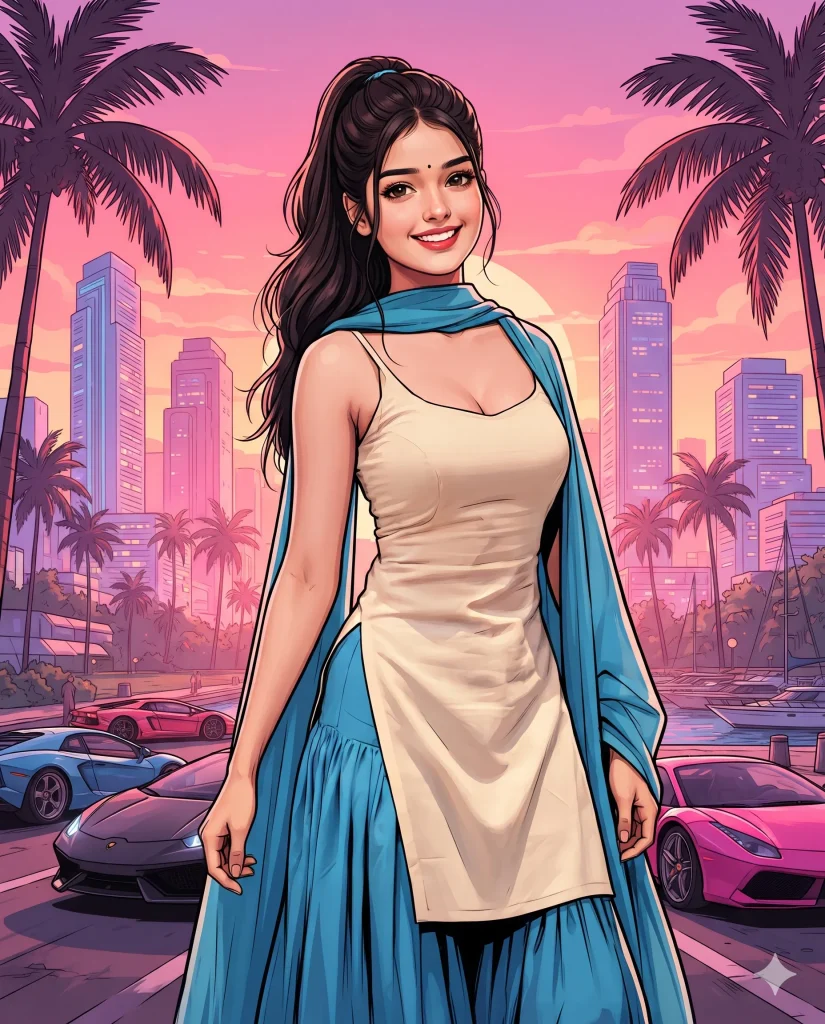
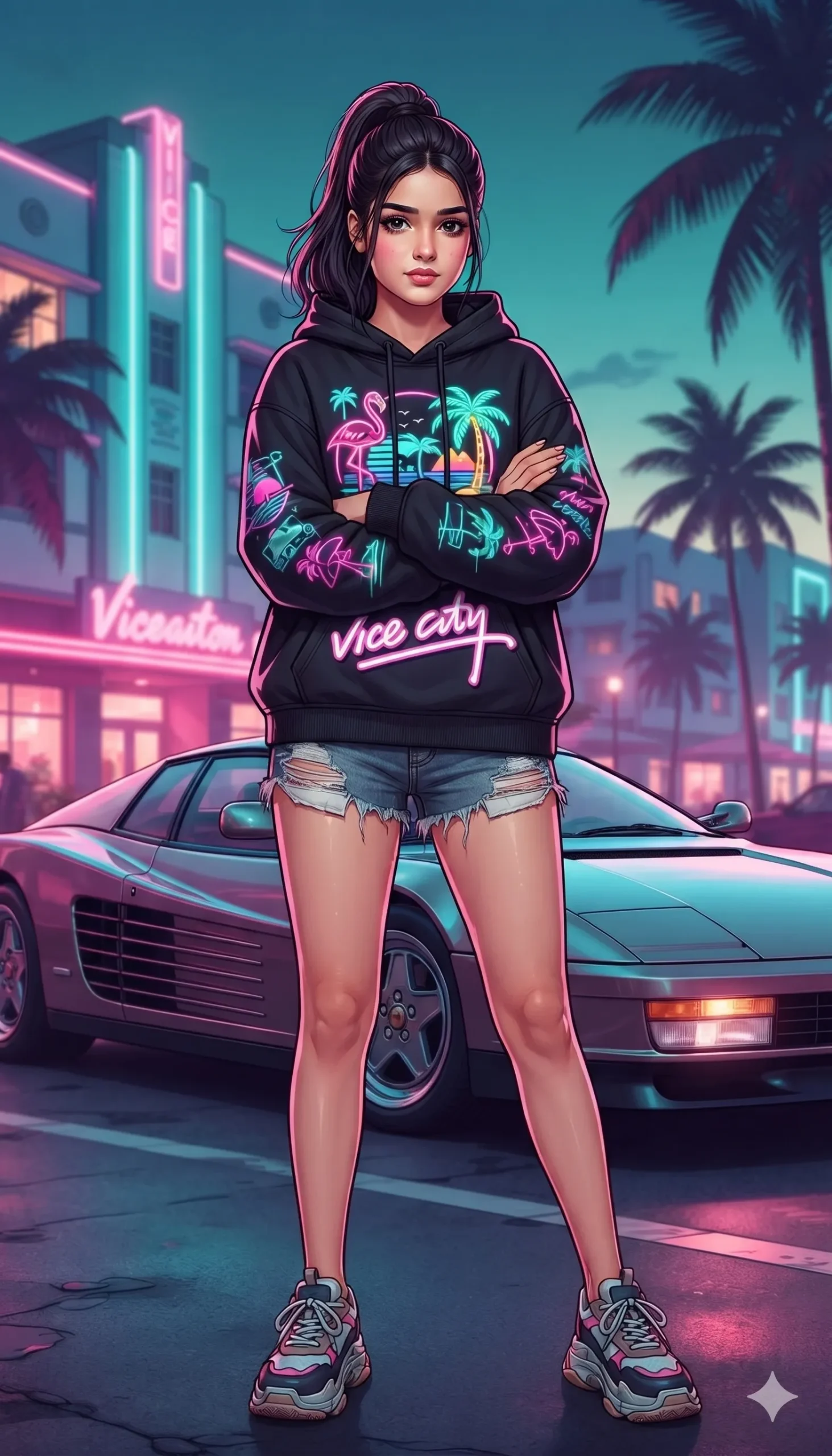
"Use my uploaded photograph as the primary reference and transform it into an eye-catching digital illustration inspired by Grand Theft Auto 6 loading-screen artwork. Preserve my original facial identity, face structure, hairstyle, skin tone, and recognizable features. Show me standing confidently in the foreground against a spectacular Vice City-inspired skyline filled with tropical palm trees, elegant high-rise buildings, luxury sports cars, and a beautiful pink-and-orange sunset. Apply expressive black outlines, vibrant colour combinations, sophisticated digital painting, rich shadows, and carefully rendered details. Give the entire composition a polished, premium open-world video-game loading-screen aesthetic. Use a vertical 4:5 aspect ratio with balanced character placement and an attractive background. Do not include captions, game titles, logos, or watermarks."
Prompt 2: GTA 6-Inspired Neon City at Night
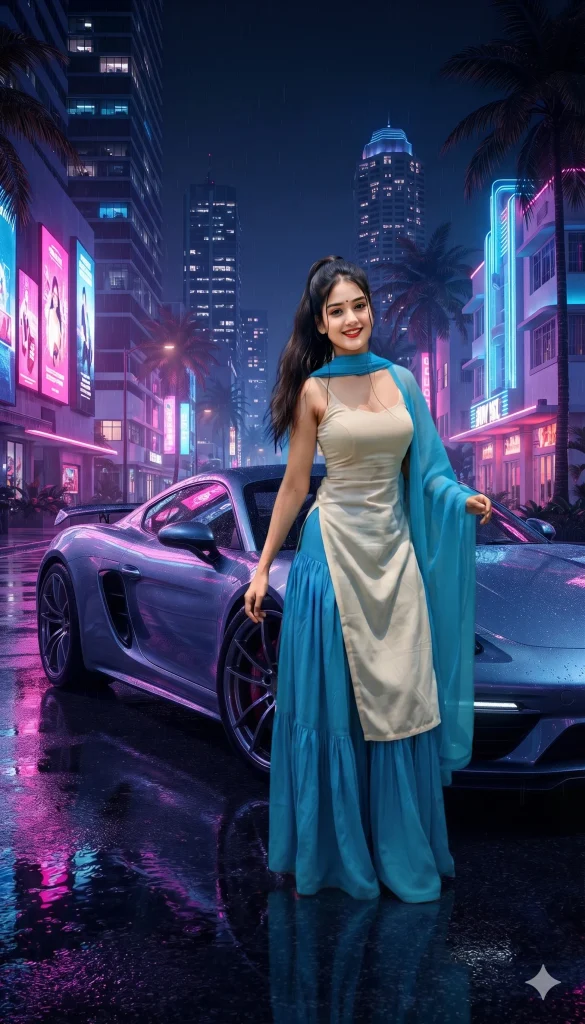
"Transform my uploaded photograph into a cinematic nighttime portrait inspired by the atmosphere of Grand Theft Auto 6. Use my photo as the identity reference and maintain my original facial appearance, hairstyle, skin tone, and natural facial proportions. Feature me standing beside an elegant luxury sports car on a rain-soaked city street surrounded by colourful neon advertisements, modern skyscrapers, tropical palm trees, and illuminated buildings. Add beautiful reflections of pink, blue, and purple lights across the wet road to create a dramatic nighttime atmosphere. Incorporate realistic 3D video-game rendering, detailed environmental textures, cinematic lighting, and rich colour grading. Make the final result resemble a visually immersive scene from a high-budget open-world action game. No text, logos, or watermarks."
Prompt 3: GTA 6-Inspired Character Selection Portrait
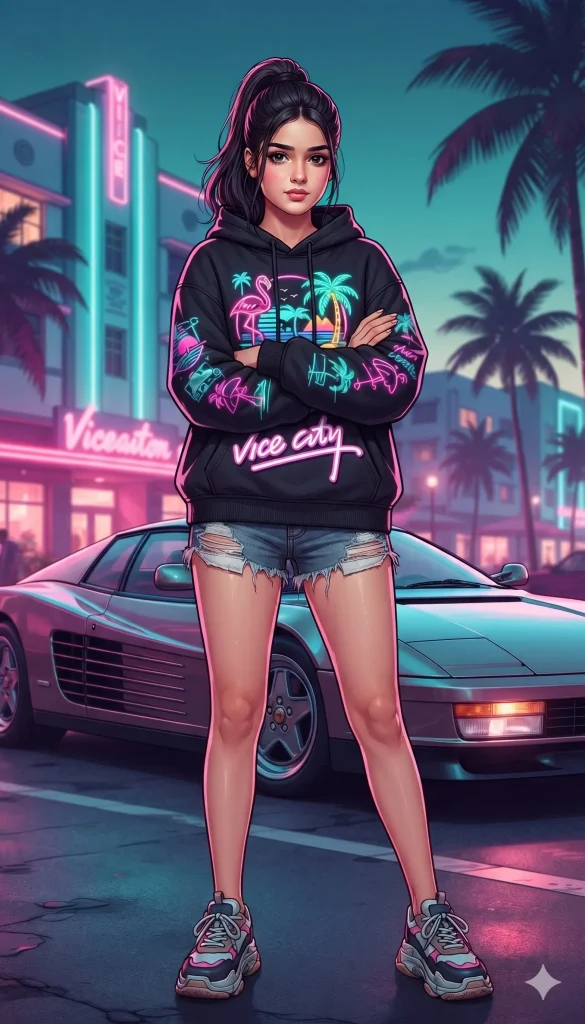
"Turn my uploaded photograph into a premium character-selection portrait inspired by the colourful artistic presentation of Grand Theft Auto 6. Keep my original facial identity, face shape, hairstyle, skin tone, and natural expression consistent with the reference image. Present me standing confidently with my arms folded across my chest, wearing stylish contemporary streetwear that complements the character's personality. Create a vibrant Vice City-inspired urban background featuring tropical palm trees, modern architecture, colourful buildings, and an impressive luxury sports car. Use bold illustrated detailing, realistic character rendering, dramatic cinematic illumination, and vibrant colour grading. The overall composition should resemble a professionally designed character profile from a modern open-world video game. Avoid all unwanted text, logos, signatures, and watermarks."
Choosing the right photograph
The final output of an AI-generated image largely depends on the quality of the reference photograph and how clearly the editing instructions are written. Choosing the right picture and providing specific visual details can help you achieve more attractive and realistic GTA 6-inspired edits.
Keep these useful tips in mind before generating your image:
- Choose a Clear Photograph: Upload a high-resolution picture with good lighting and clearly visible facial details.
- Avoid Excessive Filters: Original, unedited photographs generally provide better reference information than heavily filtered images.
- Prefer Front-Facing Portraits: A selfie or portrait taken while looking directly at the camera can make facial features easier for the AI to reference.
- Describe the Background: Clearly explain where you want to appear, whether it’s a tropical beach, busy city street, luxury car setting, or beautiful sunset location.
- Mention Your Preferred Visual Style: Include descriptive terms such as cinematic lighting, realistic game graphics, digital illustration, vibrant colours, and dramatic composition.
- Review and Refine the Result: If the generated image changes your appearance, provide another instruction asking the AI to match your original facial features, face shape, and identity more closely.
ChatGPT or Google Gemini: Which works better?
ChatGPT and Google Gemini are both useful options for creating GTA 6-inspired AI photographs. Both platforms allow users to upload existing pictures, provide custom editing instructions, and generate creative visuals. However, the final appearance can differ depending on the reference photo, prompt details, and the image-generation model available.
Here’s a quick comparison of their features:
| Feature | ChatGPT | Google Gemini |
|---|---|---|
| Upload personal photos | Yes | Yes |
| AI photo editing | Yes | Yes |
| Custom prompt support | Yes | Yes |
| Background replacement | Yes | Yes |
| Character appearance editing | Yes | Yes |
| Cinematic image generation | Yes | Yes |
| Free access | Subject to usage limits | Subject to usage limits |
Which Platform Should You Choose?
Both tools can help you create impressive GTA 6-inspired portraits, character posters, neon city scenes, and cinematic backgrounds.
Your results may vary depending on the quality of your uploaded photograph and the instructions you provide. Neither platform guarantees a perfect match with your original appearance, so you may need to refine your prompt or generate several versions to achieve the desired outcome.
Can GTA 6-style AI photos be made for free?
Yes! You can experiment with GTA 6-inspired photo editing using both ChatGPT and Google Gemini without necessarily purchasing a paid subscription. Both platforms offer access to AI image-generation features, although free users may encounter certain usage restrictions.
The number of images you can generate and the availability of editing features may vary depending on your account, subscription level, and the platform’s current usage policies. If you reach your free usage limit, you may need to wait until access becomes available again or consider upgrading to a paid plan.